
Skip to content
FUSION IoT Customer Knowledge Base

Customer Knowledge Base

Release Notes
FUSION IoT Customer Knowledge Base
Release Notes

The FUSION IoT Portal

  • Getting Started
    • Customer portal overview
    • Logging in
    • Search and filters
  • The Internet of Things
    • What is IoT?
    • IoT Glossary
  • Manage your account
    • Password management
    • Your profile page
    • Configure Dashboards
    • Manage Dashboards
  • Troubleshooting
    • Troubleshooting error messages

SIM Management

  • SIM Overview
  • View SIM Information
  • Filter SIMs
  • Export SIMs
  • Export SIM CDRs
  • SIM overview Terms

Customers

  • Customer Overview
  • View Customer Info
  • View Customer CDRs
  • View Customer EDRs
  • View Customer SIMs

User Management

  • Users
    • View Users
    • User Logs
    • User Journal
  • Roles
    • Roles introduction
    • Customer Roles Matrix

Notifications

  • Notifications Overview
  • Notification history
  • View notification details
  • Export Notification history

Journal

  • Journal Overview
  • Export Journal
  • Home
  • Home
  • User Management
  • Users
  • View Users
View Categories

View Users

What role/s can do this? Customer admin

Customer admins can view all users associated with the customer account in the Users & Roles area of the portal.
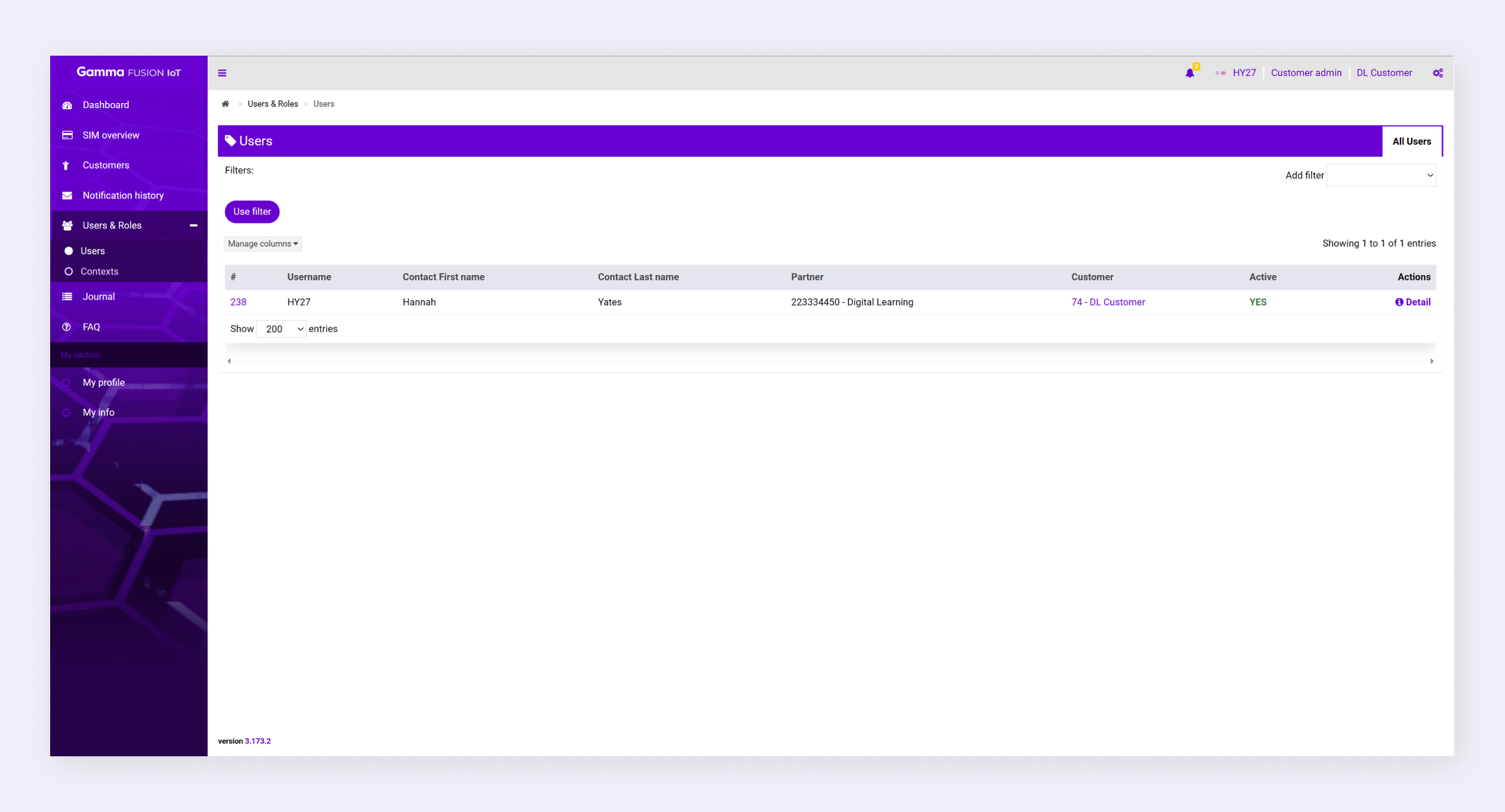
To view users, navigate to Users & Roles → Users.

View User Details #

You can view details about the user such as their assigned roles, their logs and their journal.

  1. Navigate to Users & Roles → Users
  2. Locate the relevant user
  3. Click Detail in the Actions column

The Info page displays with 3 additional tabs (Roles, Logs and Journal).

Filter users #

You can add filters to make it easier to find specific users.

  1. Navigate to Users & Roles → Users
  2. Expand the Add filter dropdown
  3. Select a filter option
  4. Configure the filter as desired
  5. Click Use filter

The filter applies to all users.

Note: See Search and filters for more information.
How did you find this training?
User Logs
Table of Contents
  • View User Details
  • Filter users
We use cookies to measure performance and make improvements to this service. This includes page views, device/browser, location, and page interactions. We do not collect any information you upload to this site. By agreeing, you consent for your data to be used for this purpose.