
Customer Knowledge Base
View Customer EDRs
What role/s can view this? All customer roles.
Event Detail Records (EDRs) can be viewed in the customer area. An EDR stores information about a specific event such as an Email being triggered.
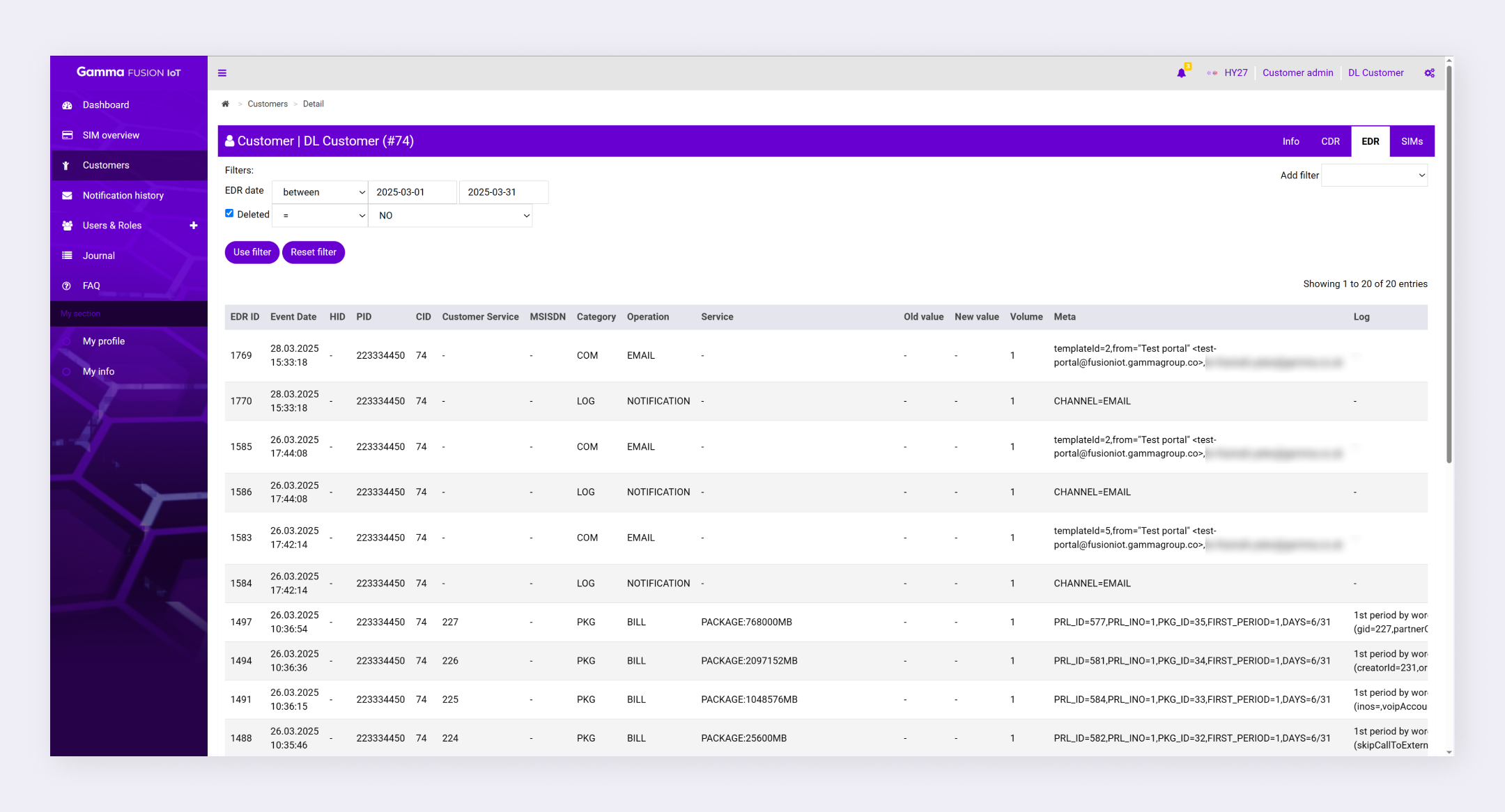
To view EDRs navigate to Customers and select the EDR tab.
Filter EDRs #
By default, the EDRs that occurred in the last 30 days and haven’t been deleted display in the table. You can change these options or add additional filters if required.
Change EDR date filter: #
If you want to view historical EDRs you can change the selected dates to filter through a different period. Click on the date input, select the dates to filter by and click Use filter.
Show deleted EDRs: #
To see deleted EDRs, change the filter option from NO to YES and click Use filter. Alternatively, deselect the checkbox next to the filter option and click Use filter. This will remove the filter and show you a list of all EDRs.
Add filter options: #
- Navigate to the EDRs tab
- Expand the Add filter dropdown
- Select a filter option
- Configure the filter as desired
- Click Use filter
The filter applies to the list of EDRs.
| Note: See Search and Filters for more information. |