
Skip to content
FUSION IoT Customer Knowledge Base

Customer Knowledge Base

Release Notes
FUSION IoT Customer Knowledge Base
Release Notes

The FUSION IoT Portal

  • Getting Started
    • Customer portal overview
    • Logging in
    • Search and filters
  • The Internet of Things
    • What is IoT?
    • IoT Glossary
  • Manage your account
    • Password management
    • Your profile page
    • Configure Dashboards
    • Manage Dashboards
  • Troubleshooting
    • Troubleshooting error messages

SIM Management

  • SIM Overview
  • View SIM Information
  • Filter SIMs
  • Export SIMs
  • Export SIM CDRs
  • SIM overview Terms

Customers

  • Customer Overview
  • View Customer Info
  • View Customer CDRs
  • View Customer EDRs
  • View Customer SIMs

User Management

  • Users
    • View Users
    • User Logs
    • User Journal
  • Roles
    • Roles introduction
    • Customer Roles Matrix

Notifications

  • Notifications Overview
  • Notification history
  • View notification details
  • Export Notification history

Journal

  • Journal Overview
  • Export Journal
  • Home
  • Home
  • The FUSION IoT Portal
  • Manage your account
  • Your profile page
View Categories

Your profile page

Your profile page is where you can view information about your account.

Access My profile #

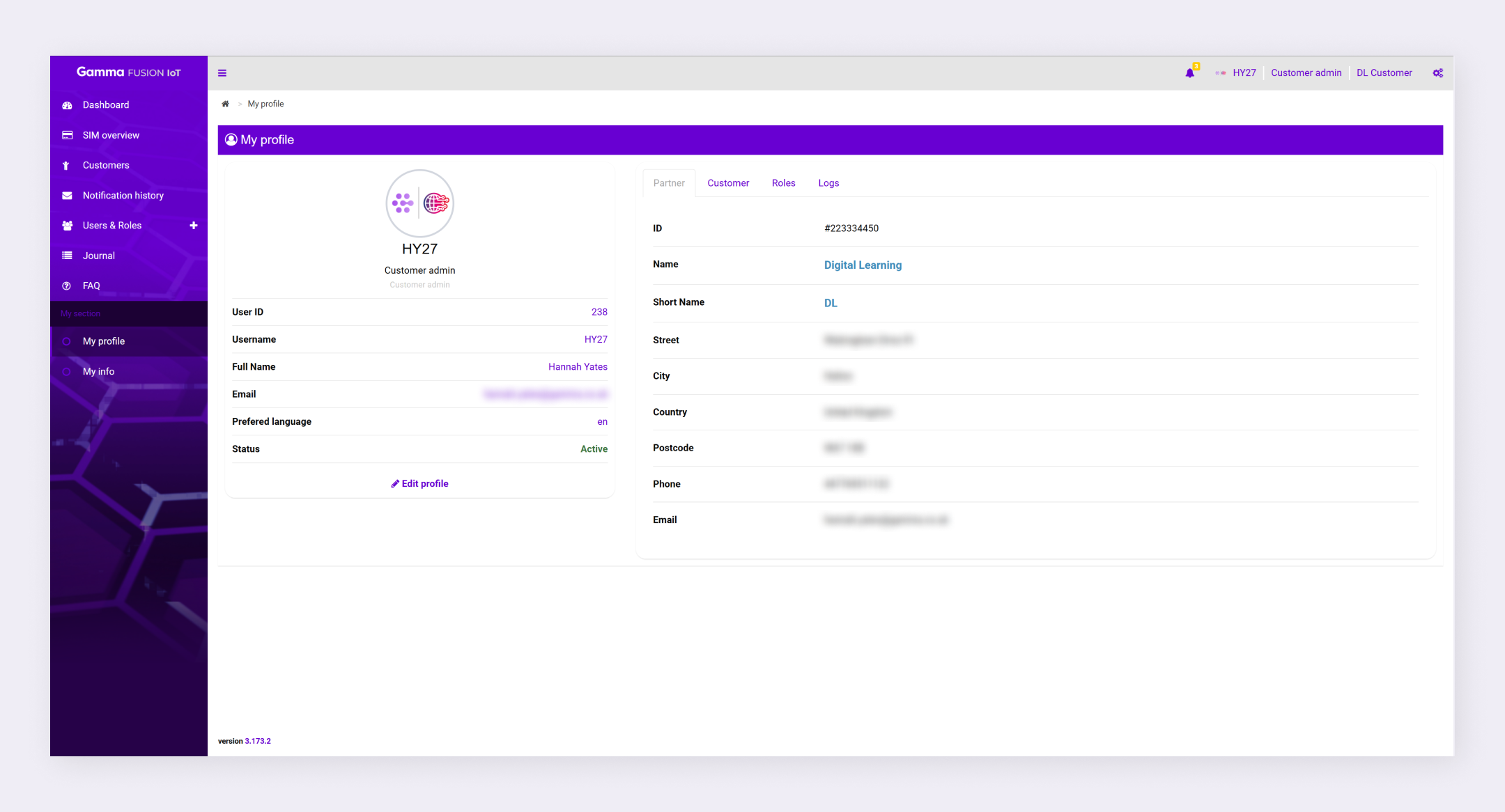
My profile will display a summary of your user information as well as partner details, available roles and user logs.
  1. Click your profile information in the top right corner
  2. Click Profile

The portal displays your profile information.

My profile information #

When viewing your profile your user details will be displayed on the left. This information will have been filled in when your account was created and if there are any errors you should contact your service provider.

You will also see a Partner, Customer, Roles and Logs tab which you can switch between to view additional information. On the partner tab you can see information about the partner your user account is associated with. The customer tab will show information about your company. The roles tab will list any role(s) that have been assigned to you and the logs time will show any user events (i.e. login times).

Edit profile #

Below the profile details is an Edit profile button. You can use this to update your password.

How did you find this training?
Password managementConfigure Dashboards
Table of Contents
  • Access My profile
  • My profile information
  • Edit profile
We use cookies to measure performance and make improvements to this service. This includes page views, device/browser, location, and page interactions. We do not collect any information you upload to this site. By agreeing, you consent for your data to be used for this purpose.